 Add to Chrome
Free Chrome extension · On-device AI
Look up any company.
Check every answer.
Type a company name. Veridex searches public sources, finds the official site, cross-checks the facts, and hands back structured data — with the source URL, a confidence score and a timestamp on every single value.
Free · No sign-up · No account · Chrome 128+
The problem
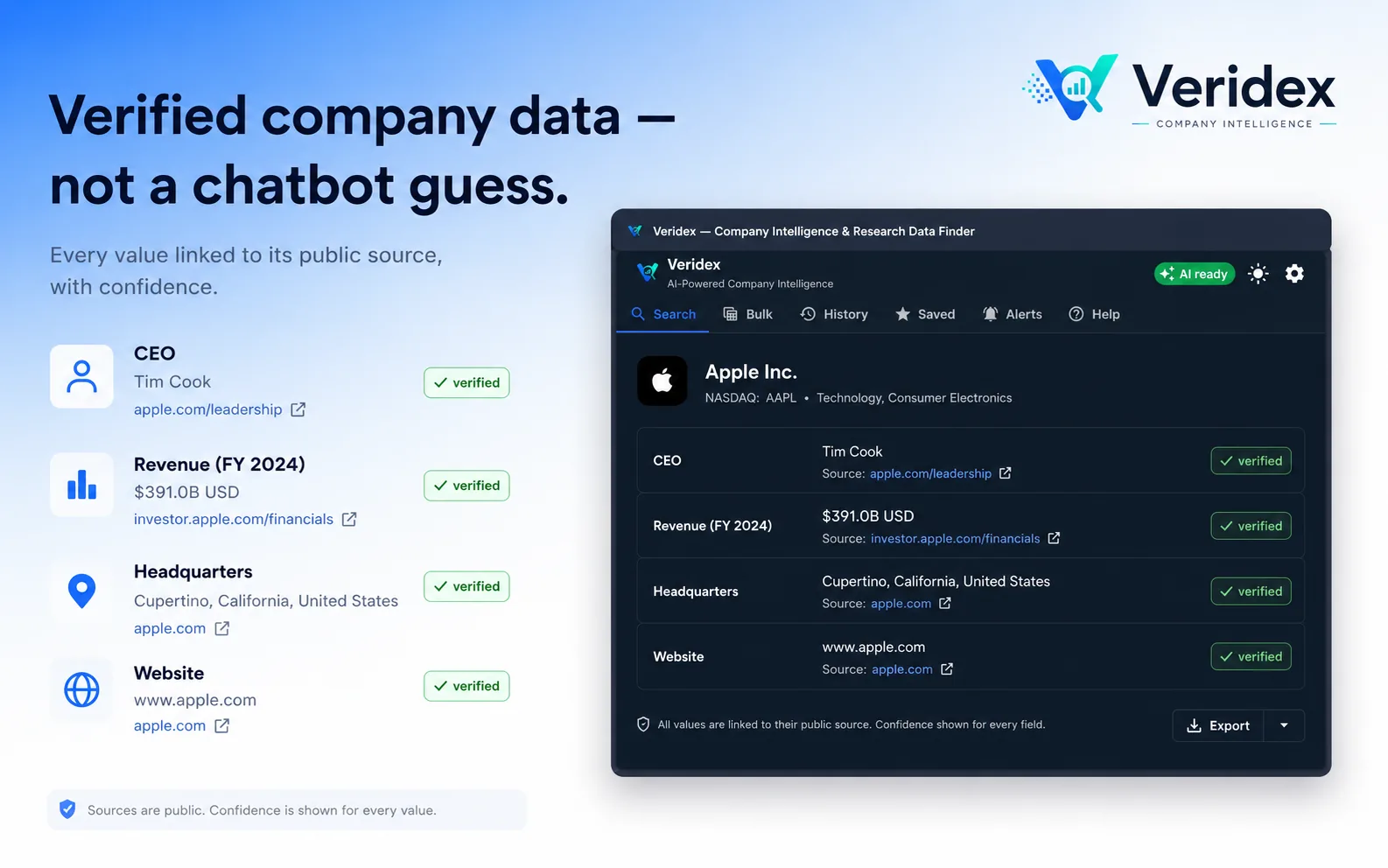
Ask a chatbot for a CEO and you get a sentence you have to trust
It reads confidently whether it is right or wrong, it rarely cites, and when it doesn't know something it tends to produce a plausible answer anyway. That is fine for a first draft and unusable for research you have to stand behind.
Every value is linked
Each field carries the exact URL it came from, so you can click through and confirm it yourself in one second.
It says "Not found"
If a value can't be confirmed, Veridex reports nothing rather than inventing something. A blank is an honest answer.
Confidence, not vibes
Values are scored by how they were found — a structured API answer outranks a guess pulled out of page text.
Data, not paragraphs
Structured fields you can sort, filter and export — not prose you have to re-read and retype into a spreadsheet.
Provenance
Every value shows its working
Veridex records how it found each value and how sure it is. When two independent sources agree, the field is marked verified. Where sources disagree, alternatives are kept rather than quietly discarded.
Confidence follows the method, because how you found a fact predicts how likely it is to be right:
Two independent sources agreeing promotes a field to verified. Up to four alternatives are retained per field.
How it works
Locate with AI, verify with live data
The model never supplies a fact. It suggests where to look — and every suggestion is then fetched and checked against the real page before anything reaches you.
Plan
On-device AI turns your company name and chosen fields into a search plan. Ask in plain language and it works out which fields you meant.
Find the real company
Public search engines plus AI-suggested domains, each probed and token-checked against the fetched page. A domain that doesn't mention the company is discarded.
Crawl and extract
The official site is crawled in two waves — search results first, then about, team, leadership and contact pages found via its own sitemap.
Cross-check
Registries and open databases are queried, values are reconciled with the company's own domain carrying decisive weight, and the AI removes anything that doesn't belong.
Same-name disambiguation is the hard part
Free-form company names are a weak key — dozens of firms share one. Veridex resolves to the official domain instead, because a domain is unique and checkable. Records from a site that merely shares a word with the name are rejected rather than blended into the answer.
Features
Built for real research, not a demo
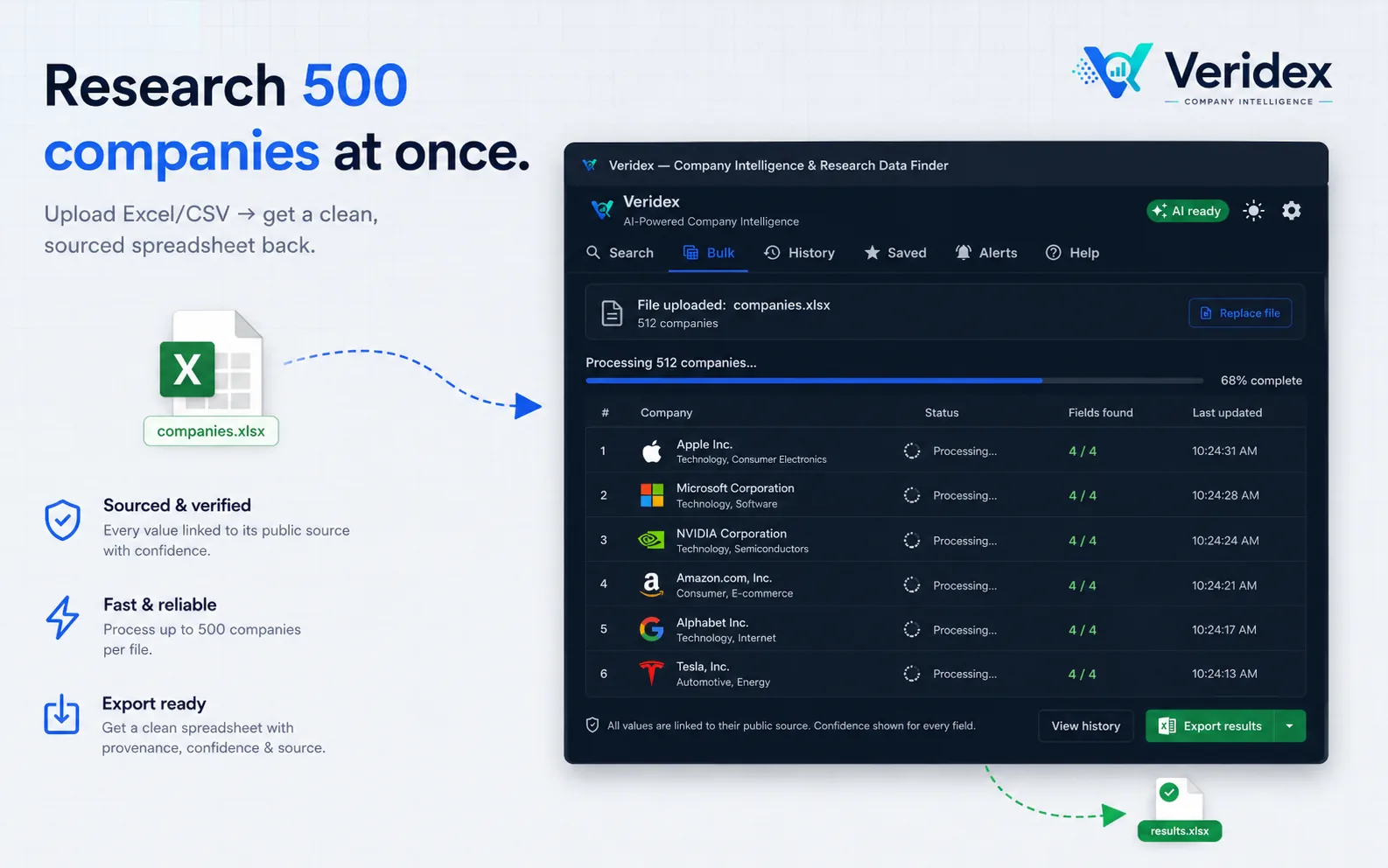
Research up to 500 companies at once
Upload an Excel or CSV list and get a clean, sourced spreadsheet back. Bulk runs continue in the background even when you close the panel, and pick up where they left off rather than starting over.
Export in the shape you already work in
PDF, Excel, CSV, JSON or Markdown — provenance and confidence travel with the data rather than getting lost on the way out. The PDF is a real report, not a table dump: a branded stat band, a company overview and every metric next to the source that produced it. Past exports stay in your library for re-download.
Watch a company
Veridex re-checks on a schedule and notifies you when a value actually changes — diffing ignores whitespace and case noise, so you aren't alerted over nothing.
Life-sciences depth
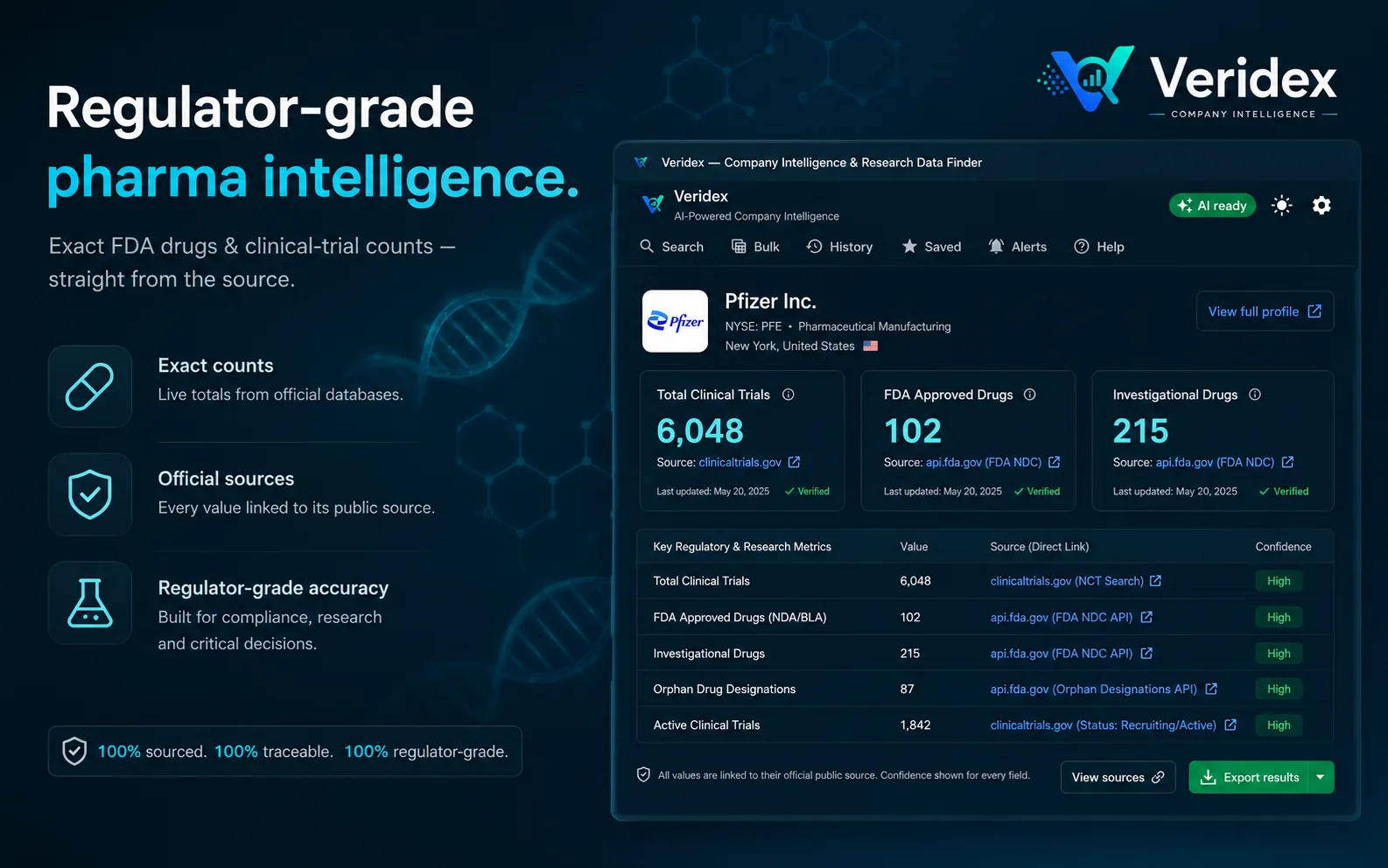
Exact clinical-trial counts, FDA-approved and investigational drugs, and orphan-drug designations, straight from the official databases that publish them.
Library and history
Every search, favourite and export is kept locally so you can come back to a result instead of running it again.
Reference links stay honest
Deep links to registries are offered without a confidence score — because a patent-search link is not evidence a company holds patents.
Sources
Public sources, named
Veridex reads public search engines, the company's own website, and open data APIs. A provider is only queried when you request a field it can answer and the category matches — otherwise it stays dormant.
Search
Mojeek · Bing · DuckDuckGo
Tried in order; the first with results wins. Google News RSS only when you ask for latest news.
Company identity
Wikidata · Wikipedia · GLEIF · GitHub
Plus the company's own site, its robots.txt and its sitemap.
Registries
UK Companies House · France SIRENE
Deep links to 8 more national registries, link-only.
US regulators
SEC EDGAR · FDIC · openFDA
Financial and food-enforcement data from the regulators themselves.
Life sciences
ClinicalTrials.gov · openFDA · PubMed
Trial counts, drug approvals and research output at source.
Specialist
OpenAlex · CoinGecko · Open Food Facts
Queried only when the company's category calls for them.
Veridex has no server of its own. Requests go from your browser straight to the source, without cookies, and nothing is routed through us.
Requirements
What you'll need
Chrome 128+
Or a Chromium browser on the same version. That's where the built-in AI lives.
Gemini Nano
Chrome's built-in on-device model. Veridex shows its status and download progress, and still works without it.
No account
No sign-up, no email, no licence key. Install it and search.
Free
Free to install and use for personal, non-commercial research.
FAQ
Questions, answered
Stop trusting the answer. Check it.
Install Veridex and turn a company name into data you can click through to the source — in a few seconds, for free.