
 Add to Chrome
Redactor
Offers to mask a big block of personal text — emails, phones, cards — before you paste it into an AI chat.
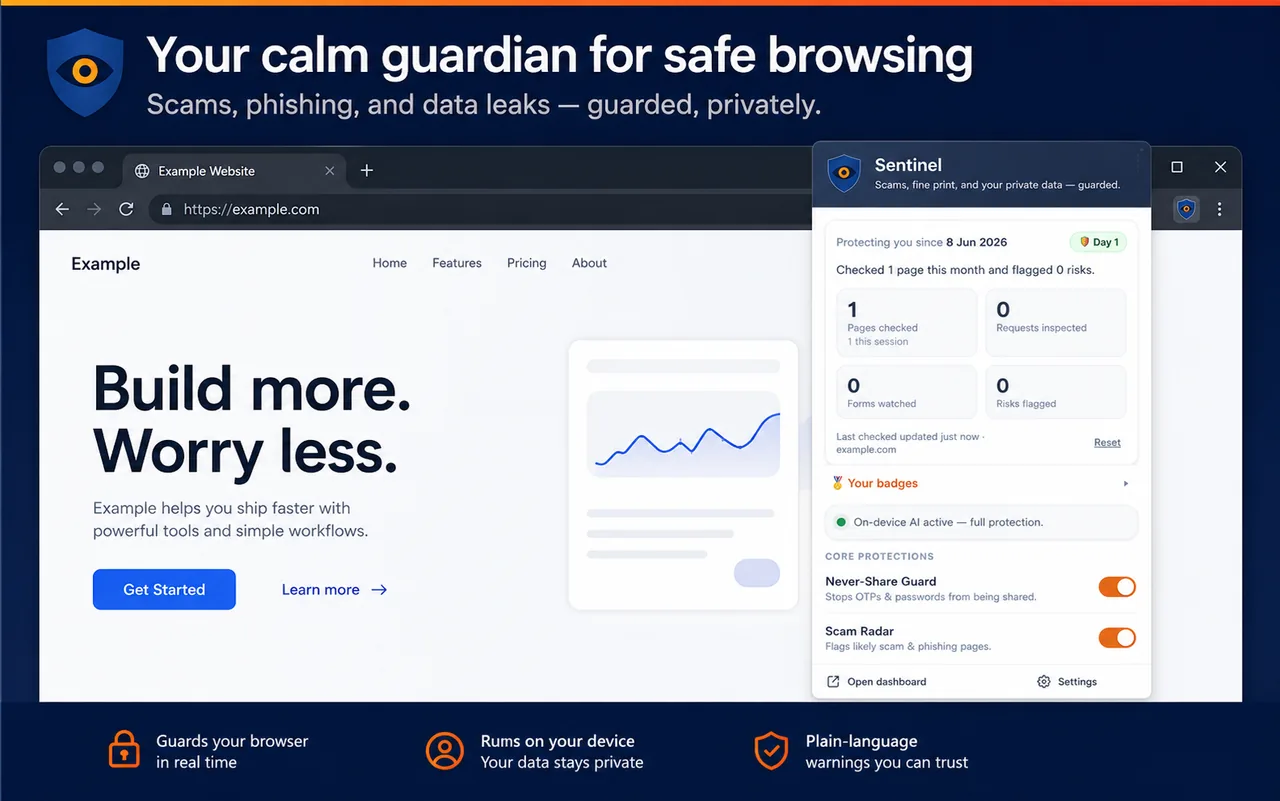
Scams, phishing, and data leaks — guarded, privately. Sentinel does the technical checks a person can't, right in your browser, and warns you in plain language. It runs entirely on-device with Chrome's built-in AI. Nothing about your browsing ever leaves your computer.
Warns — never blocks. Never nags, never says a site is "safe."
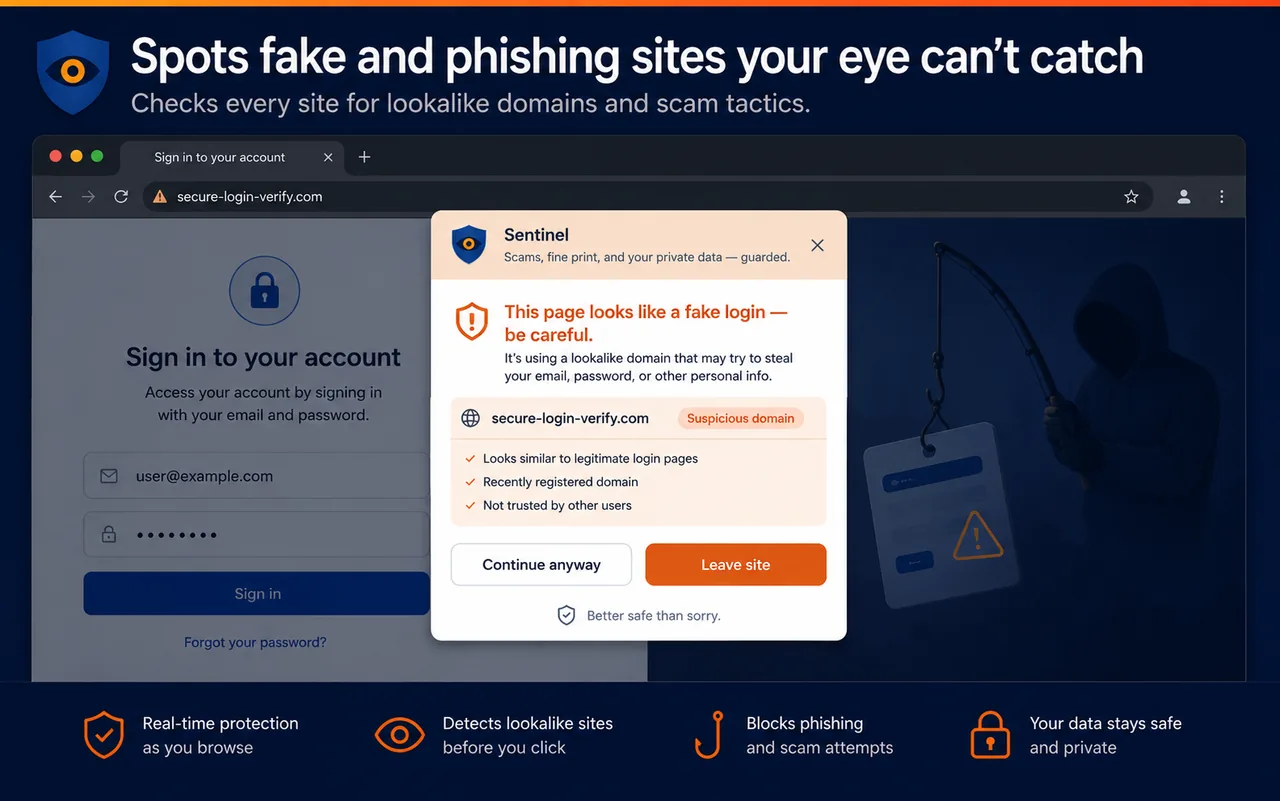
Sentinel checks every site for lookalike domains and scam tactics — combining code-level facts (lookalike hostnames, HTTPS, known-bad lists) with the on-device AI's read of the page's wording.
AI judges language and intent; code handles the facts. Together they guard the moment of harm — in your browser.
Warns before a one-time code, 2FA code, CVV or recovery code goes somewhere it shouldn't — a chat, an AI tool, or an unknown site. Stays silent in the real code field.
Lookalike-domain, known-scam and HTTPS checks combined with the AI's read of the page language — escalating at the credential moment.
Watches what the page sends and pauses before your data goes to an unknown or lookalike domain — Allow once, Block, or Always allow.
Summarizes cookie / terms / permission pop-ups in one plain sentence — and flags camera, mic, location and clipboard requests.
Offers to mask a big block of personal text — emails, phones, cards — before you paste it into an AI chat.
A quiet glow when you hover a link to a lookalike domain — and a full stop before you click a known-scam link.
Names the trick when a page uses pre-checked opt-in boxes or a fake countdown timer to rush you.
Uses on-device memory to catch a password you've used elsewhere being reused on a lookalike or known-scam site.
Pauses a download the page started that you didn't click — the file hasn't started until you say so.
Flags a non-HTTPS page that's asking for a password or card — folded right into Scam Radar.
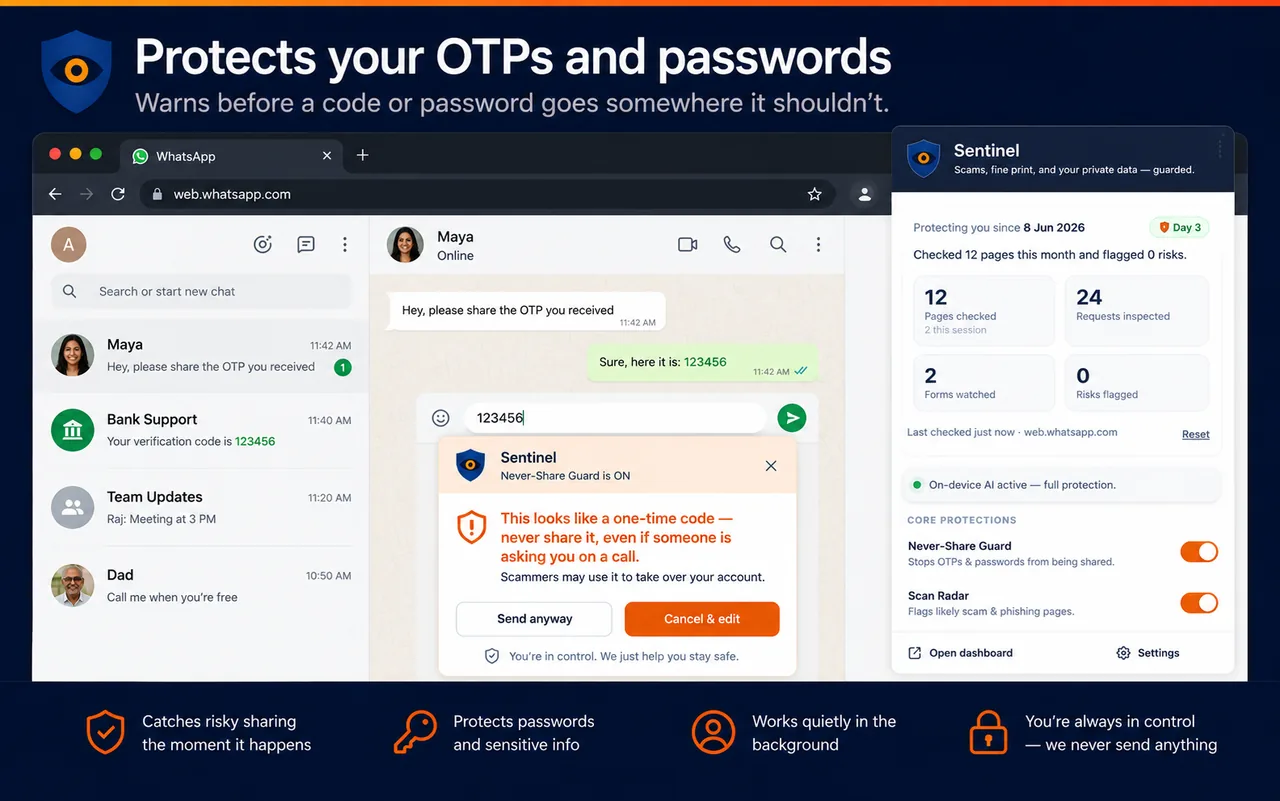
Most scams — including deepfake calls — converge on getting a code out of you. Sentinel warns the moment a code or password is about to go somewhere it shouldn't, even if someone on a call is asking for it.
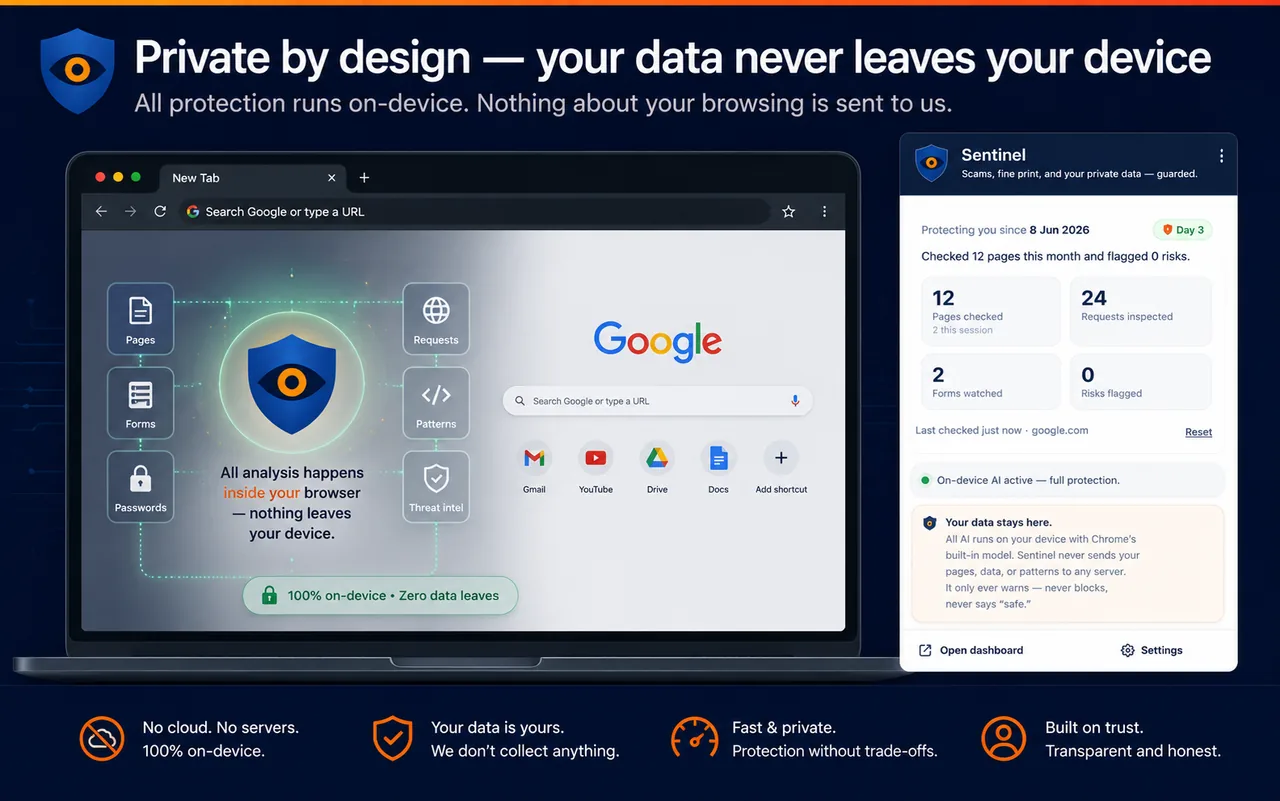
All protection runs on-device. Nothing about your browsing is sent to us — there are no "is this site safe?" lookups, because those would transmit where you go. Data flows in only: Sentinel downloads public threat lists and matches them locally.
Severity = how sure something's wrong × how bad it'd be. That maps to three calm levels — most of the time you see nothing.
Normal, expected, low-risk pages. Nothing shown — the shield just keeps a quiet grey heartbeat while it checks.
Most warnings — sketchy pages, agreements, oversharing. The shield turns orange with a dot; details only if you click.
Only real, hard-to-undo harm — a secret about to leak, or a suspicious background send. A panel opens and asks you.
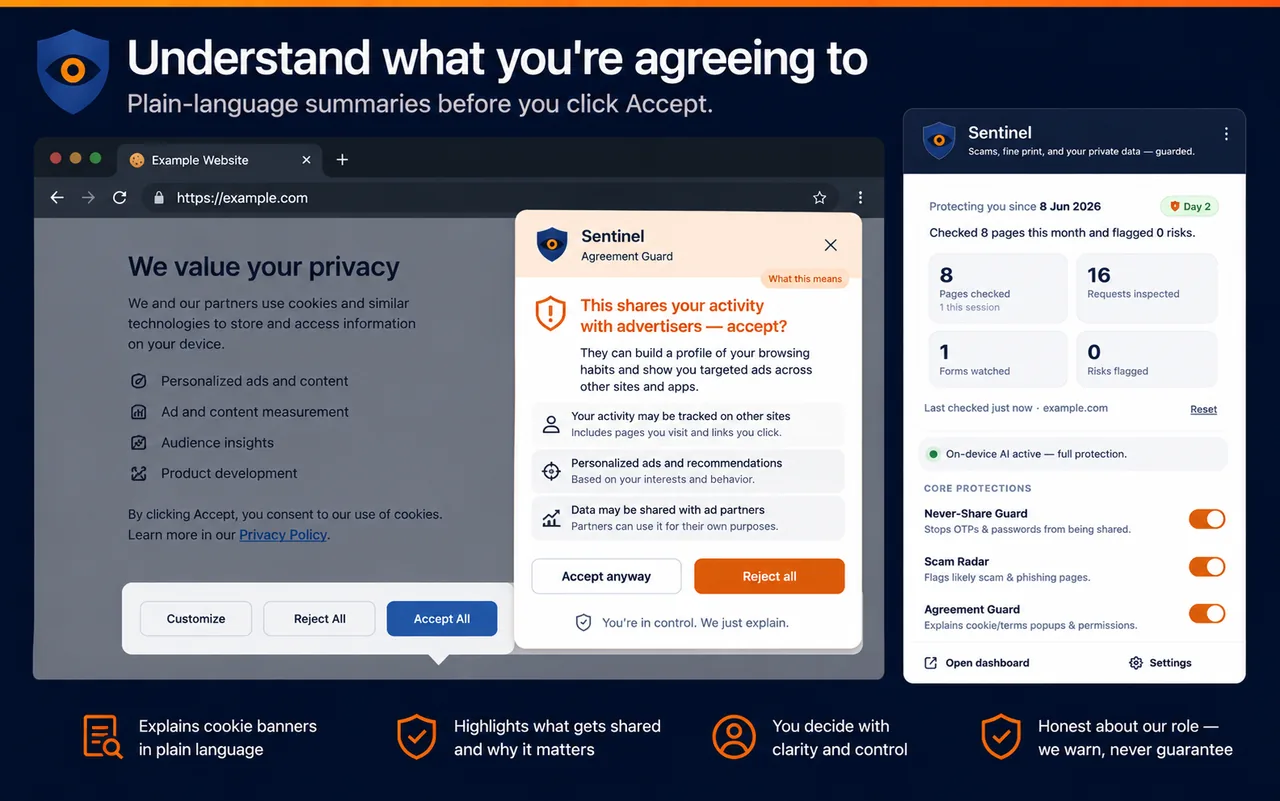
Plain-language summaries before you click Accept. Sentinel reads cookie and terms dialogs locally and tells you, in one sentence, what you'd actually be granting.
Sentinel's AI features use Chrome's built-in Gemini Nano. Without it, the code-based checks still run.
Desktop Chrome (not mobile). On 128–137, enable the Prompt API flags and restart.
Free disk for the one-time on-device AI model download.
A modern GPU with >4 GB VRAM for the local model.
No accounts, no API keys, no subscription. Ever.
Install Sentinel and let on-device AI watch for scams, phishing and data leaks — quietly, and privately.